Orchestrating the future of time management and group collaboration.
Microsoft Outlook
Microsoft Outlook is the industry standard for personal information management. While widely known for email, its true enterprise value lies in its power to facilitate global collaboration and time management within the Microsoft Office ecosystem.
My Role
As UX Team Lead, I directed a team of five designers across the Office suite (including Outlook and SharePoint). My mission was to move beyond feature-level design to develop a unified vision for a seamless meeting experience.
Key Responsibilities: Vision strategy, cross-application storyboarding, visual design modernization, and stakeholder evangelism.
Leadership: Mentored and led a multi-disciplinary design team to align fragmented product roadmaps under a single user-centric narrative.
The Challenge: The Disjointed Meeting Lifecycle
At the time, the process of hosting a meeting was a fragmented context-switching nightmare for users.
Friction Points: Scheduling, agenda setting, real-time collaboration, and post-meeting feedback required jumping between three or four different applications.
Logistical Hurdles: Identifying common availability and securing physical meeting locations for large groups was a manual, error-prone process.
Visual Debt: The interface required a modernized direction to stay competitive and reflect the evolving nature of digital work.
The Approach: Storytelling as Strategy
1. Scenario-Based Design
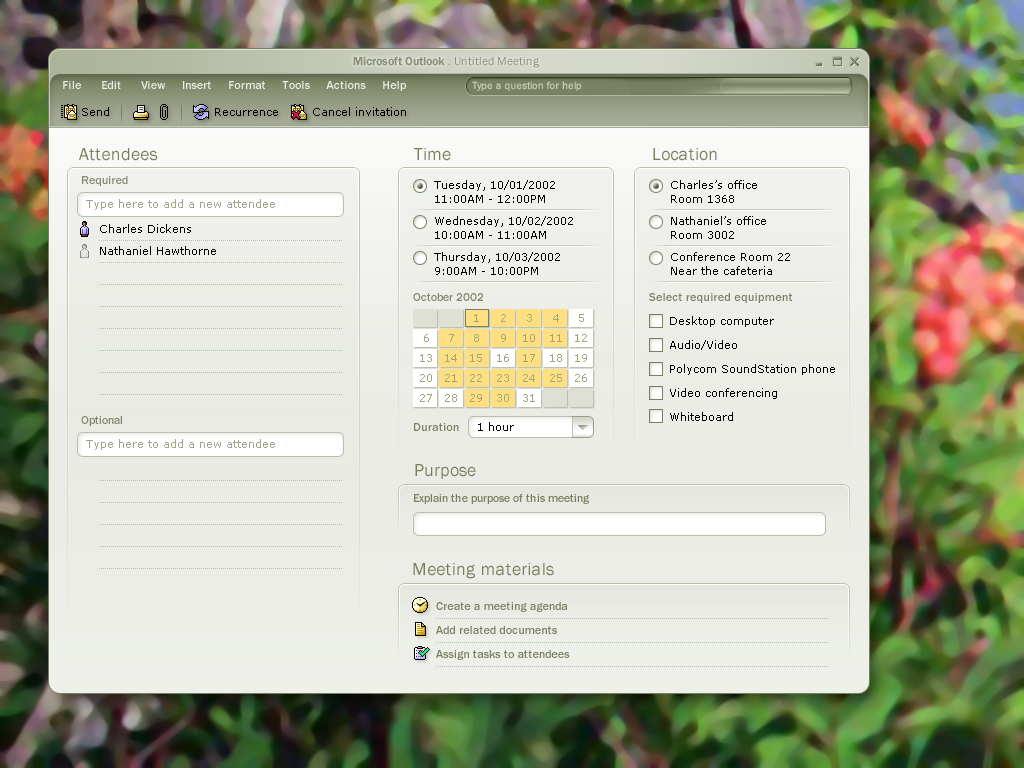
I began by drafting a detailed narrative involving a team of writers and editors reviewing a manuscript. By focusing on a real-world story, I was able to map the emotional and functional needs of users at every stage of the meeting—from the initial invite to the final handshake.
2. Collaborative Ideation
I led whiteboard sprints where we translated the narrative into sketches. We focused on reducing the mental load of scheduling by visualizing overlapping data in more intuitive ways.
3. The Vision Prototype
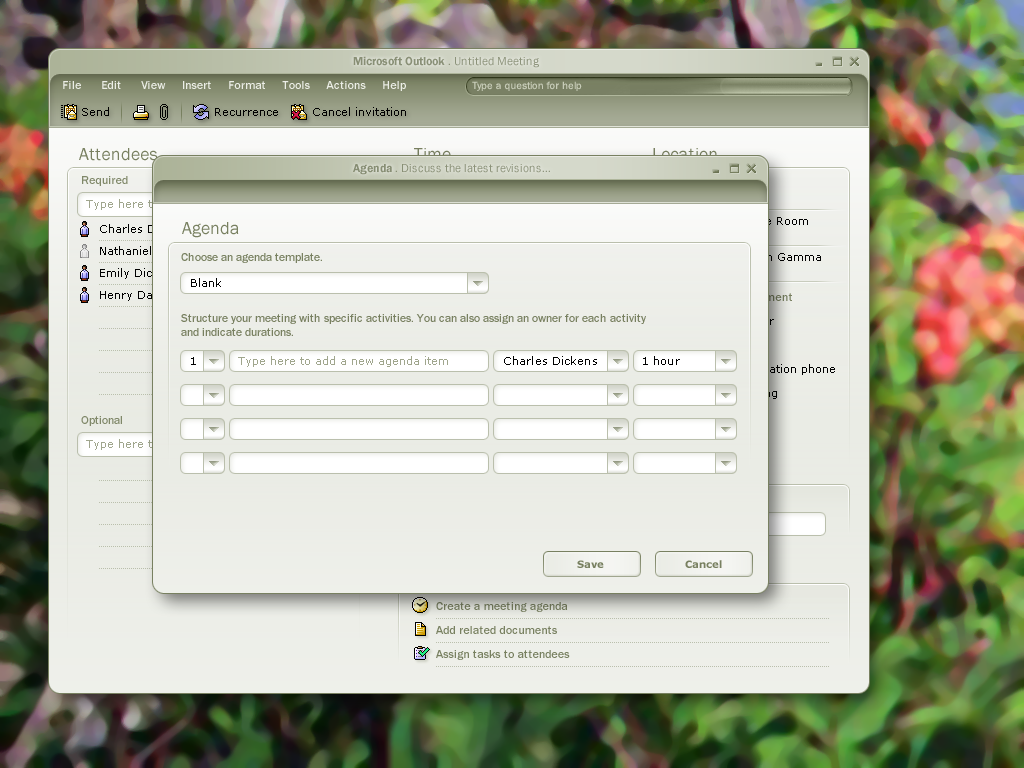
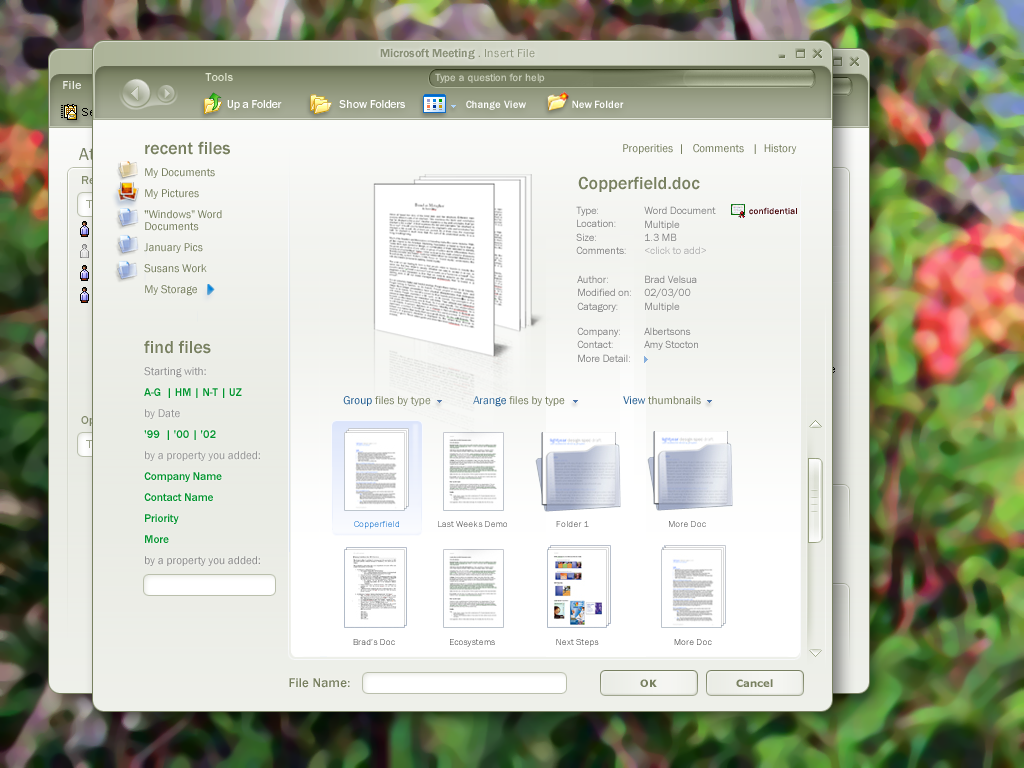
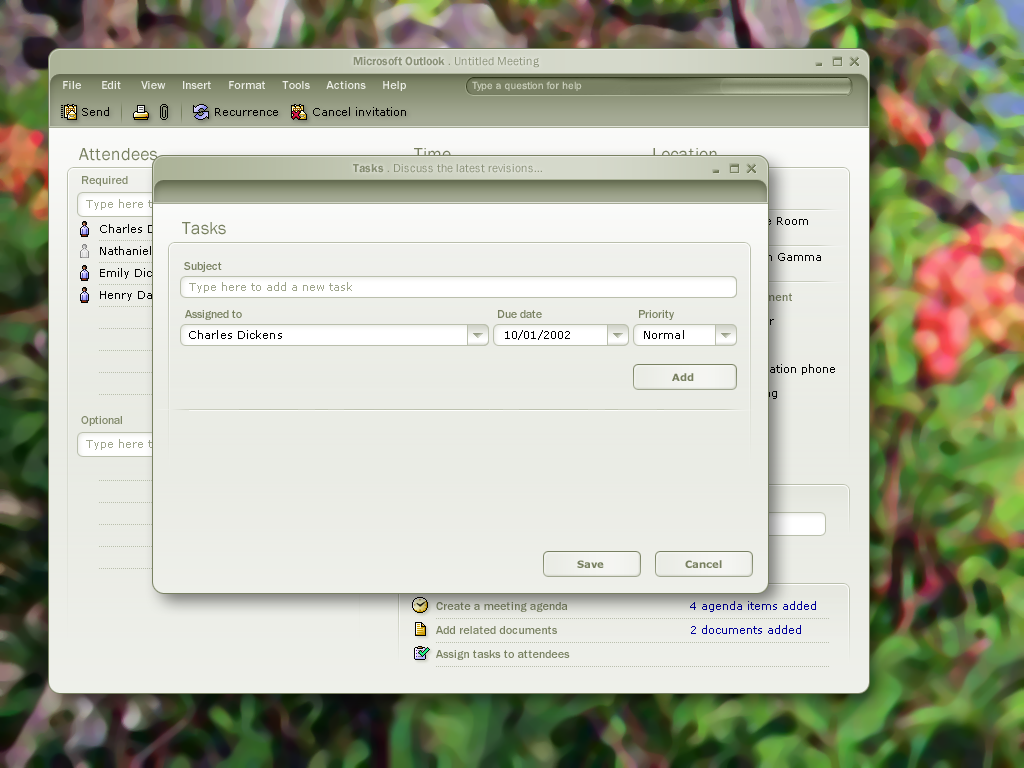
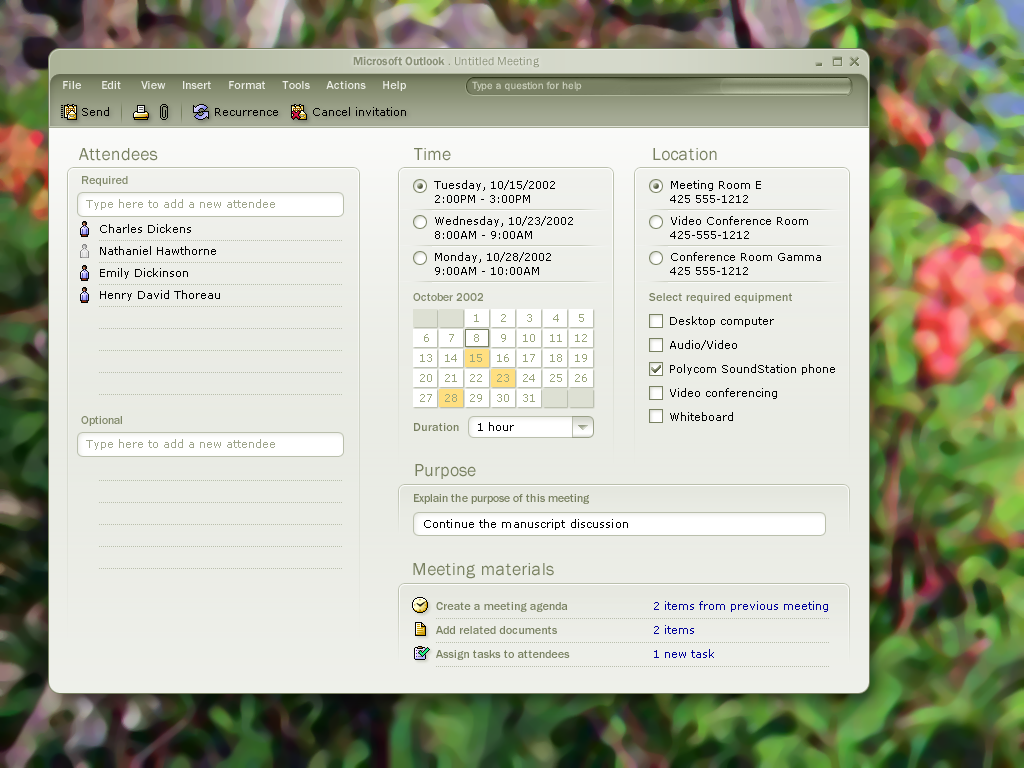
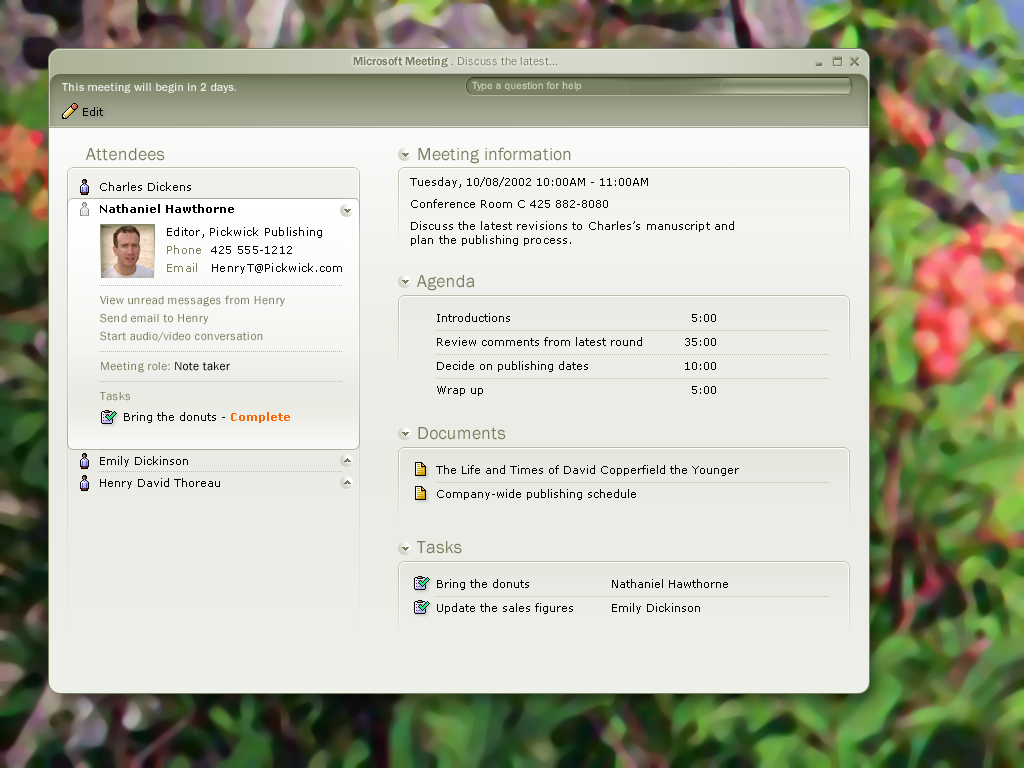
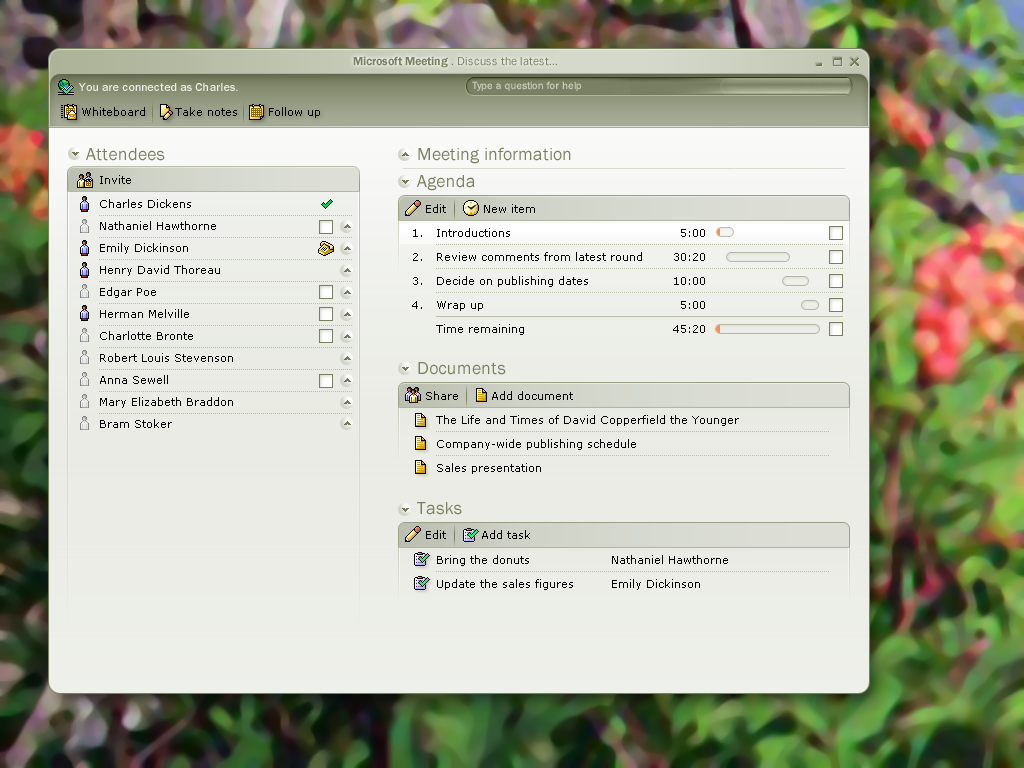
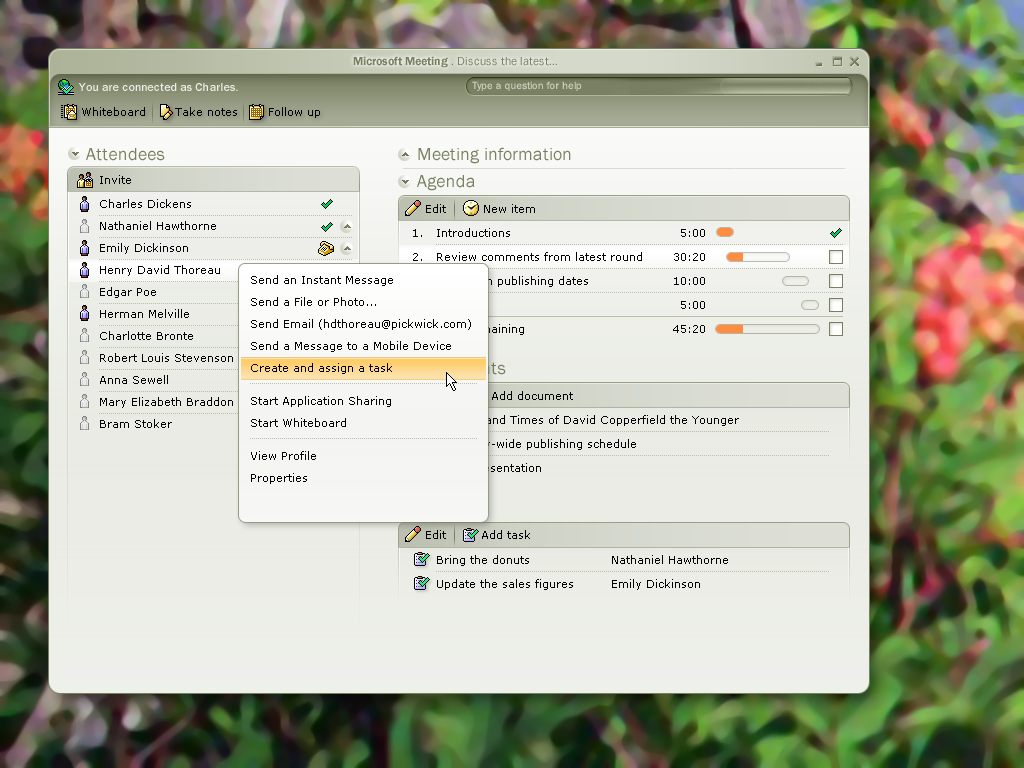
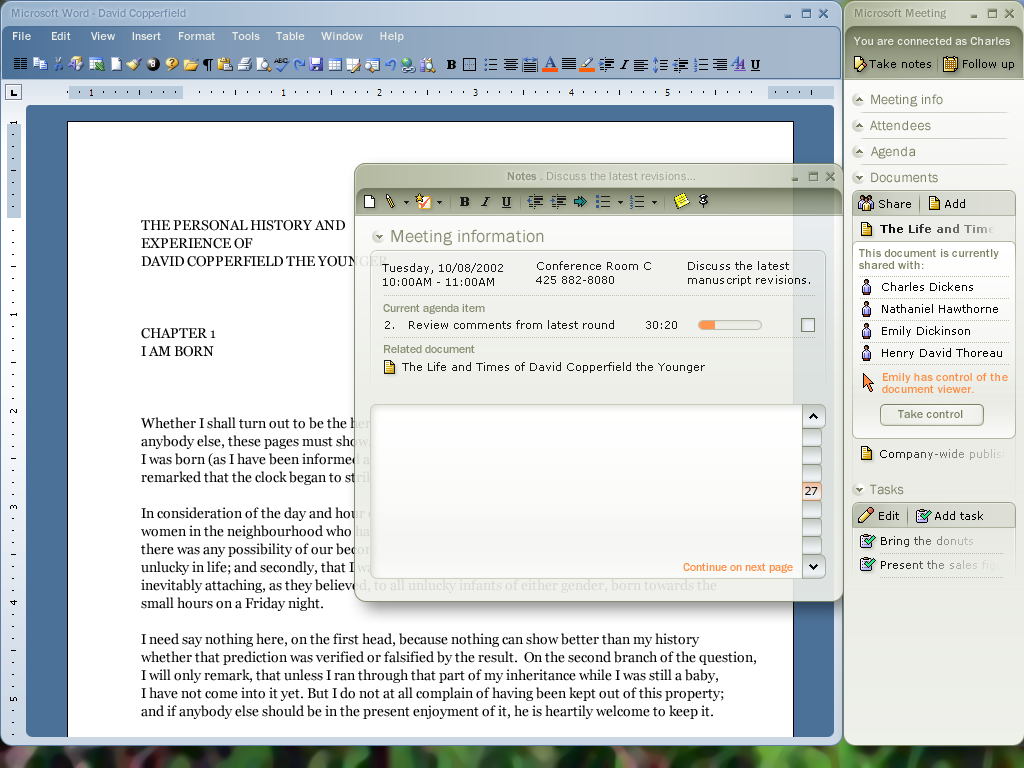
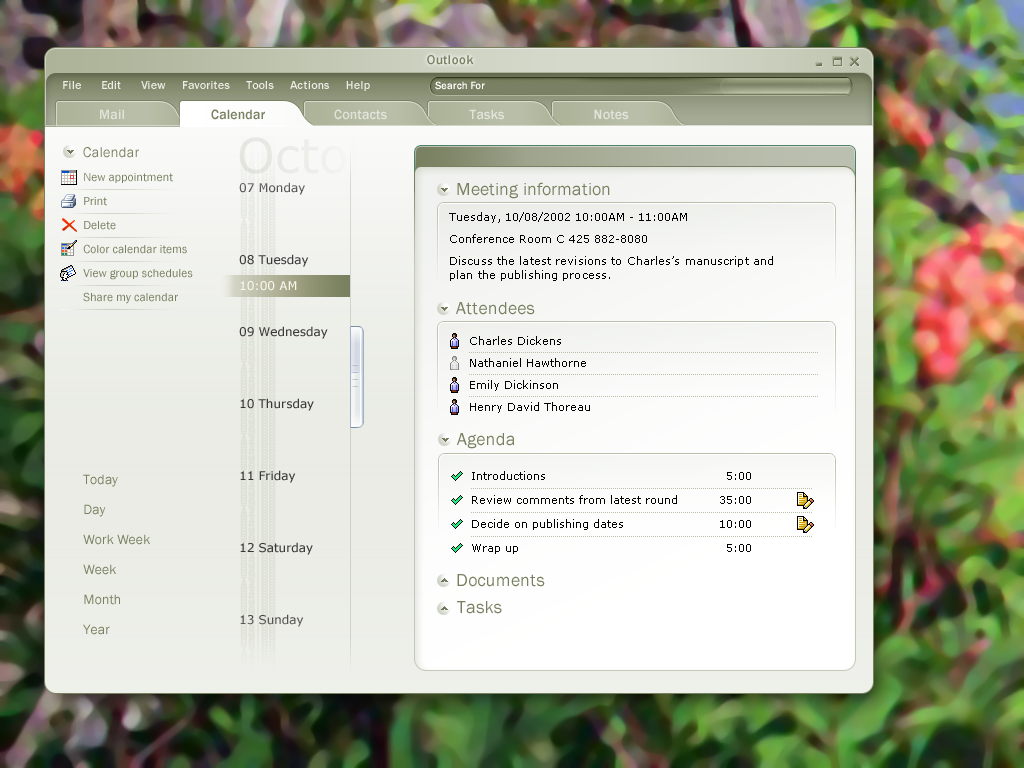
I synthesized these ideas into a high-fidelity vision deck. This wasn’t just a set of screens; it was a roadmap for the future of the Office suite that I presented to Program Management and Development leads to secure buy-in for long-term integration.
The Outcome: Integrated Utility
The vision work directly informed three major functional releases for Outlook and the broader Office ecosystem:
Intelligent Scheduling: Developed a varying opacity model for calendar overlays, allowing users to visually "spot" common free time amidst overlapping schedules instantly.
Contextual Calendar Sharing: Designed the framework for publishing and viewing free/busy information, enabling users to see colleague availability without leaving their own workspace.
Cross-Product Synergy: Successfully integrated SharePoint and LiveMeeting (now legacy) into the workflow, creating a direct link between the calendar invite and the shared documents and notes required for the session.
The Retrospective: Vision vs. Implementation
The primary goal was to consolidate tools, yet the technical reality of the time actually introduced more software (Live Meeting). While the final implementation didn’t capture the full scope of my original storyboard, the “North Star” vision I created fundamentally shifted how the Outlook team approached scheduling. It turned a cold utility into a collaborative hub, an influence that still persists in modern versions of the application.